
It is the sweet, simple things of life which are the real ones, after all.
-Laura Ingalls Wilder
Okay fellow Apple users! If you have plans to travel internationally, I am about to give you a tip to make getting a translation so easy!
I will start with this beloved french nursery rhyme and encourage you to grab your phone and follow along:

Open your phone’s camera and point it at the text. Hit the box in the bottom right of the screen (the “hamburger” symbol in a box).

Hit the word “translate” on the left side of the screen.
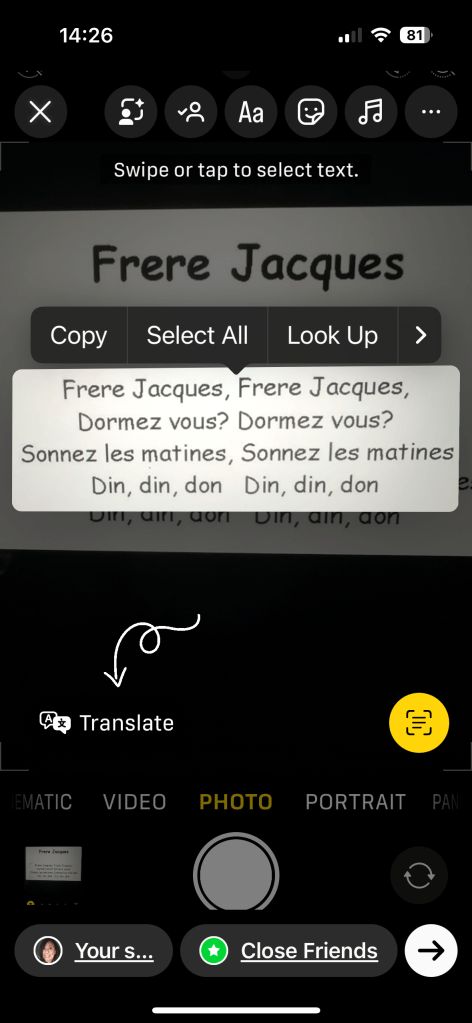
And there you go; no need for a translate app!

It is necessary to use your cell service so be sure that you have an international plan before leaving home!
I love this feature and hope to be able to use it soon! Let me know if you’ve tried it or hope to use it for your next trip!

 Let’s Just Go!